



Introduction
How to Change the Garage Door Code? Securing your home starts with safeguarding all entry points, including your garage, which is often overlooked. One of the simplest and most effective ways to enhance your garage’s security is by updating its access code. Whether you’ve recently moved into a new home, lost a remote control, or simply want to improve your property’s protection, learning how to change your garage door code is essential.
Depending on your garage door opener system, whether it’s a wireless keypad, handheld remote, or smart app-controlled unit, the process may vary slightly but remains user-friendly across all platforms.
These systems usually provide added flexibility, letting you create multiple user codes, schedule access times, and even receive alerts. Regardless of the system, always test the new code after programming to ensure it works correctly and provides secure, uninterrupted access to your garage.
| Topic | Summary |
| Why Change Code | It boosts security, prevents unauthorized access, and is ideal after moving/loss. |
| System Types | Keypad, Remote Control, Smart App-Based |
| Keypad Steps | Press “Learn” → Enter new code → Confirm → Test |
| Remote Steps | Press “Learn” → Sync remote button → Confirm → Test |
| Smart System | Use app → Edit/Add code → Save & Sync |
| Tips | Use strong, non-obvious codes; update regularly |
| Issues | Check batteries, reset codes, consult online manuals |
How to Change the Garage Door Code?
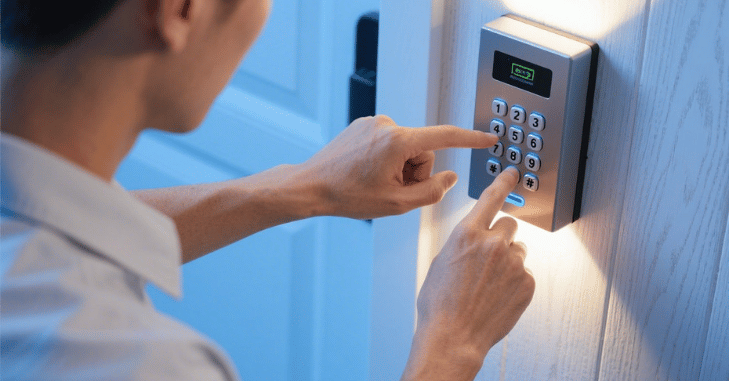
How to Change the Garage Door Code? Changing your garage door code is a straightforward process, but the exact steps can vary depending on the type of garage door opener system you have, whether it uses a standard wall-mounted keypad, a handheld remote, or a smart system connected to Wi-Fi. For traditional keypads, the process usually starts by accessing the garage door opener motor, typically located on the ceiling of your garage.
You’ll need to find and press the “Learn” or “Smart” button on the unit. Once this button is activated, you have a short window, usually 30 seconds, to input a new code on your keypad. After entering the new code and pressing the appropriate key (often the “Enter” or “Learn” button on the keypad), the system will save the new code, and a light or sound will usually confirm successful programming.
For handheld remotes, the method involves syncing the remote to the opener using a similar “Learn” button sequence, where you press the learn button and then press the button on the remote that you want to program. In contrast, smart garage door systems, such as those from Chamberlain MyQ, Nexx Garage, or Genie Aladdin Connect, allow you to change access codes via a mobile app.
Why Change Your Garage Door Code?
Changing your garage door code is an essential step in maintaining home security. One of the primary reasons to update the code is to protect your home from intruders who may have obtained access to your old code, intentionally or accidentally. If you’ve lost a remote or a keypad device, changing the code becomes even more critical, as it prevents potential misuse by anyone who might find or steal the lost item.
Additionally, when moving to a new home or renting out your property, updating the garage door code ensures that previous residents or tenants can no longer gain access. Finally, as part of regular home maintenance, similar to changing passwords on digital devices, it’s wise to periodically update your garage door code to enhance safety and reduce the risk of unauthorized entry.
Types of Garage Door Opener Systems
Before changing the code, it’s helpful to know which system you have. The instructions vary slightly depending on the brand and model:
- Keypad Garage Door Openers (Wireless Keypads)
- Remote Control Garage Door Openers
- Smart Garage Door Openers (Wi-Fi or App Controlled)
How to Change the Code on a Wireless Keypad Garage Door Opener
Wireless keypads are mounted outside your garage door and allow entry by typing in a code.
Step-by-Step Instructions
- Locate the “Learn” Button on the Garage Door Opener Unit
Open your garage and find the main garage door opener motor unit, usually mounted on the ceiling. Look for a button labeled “Learn,” “Program,” or “Set.” It is often near the antenna wire. - Clear the Existing Code (Optional but Recommended)
To prevent unauthorized access, first clear old codes by pressing and holding the “Learn” button for about 6-10 seconds until the indicator light turns off. This erases all codes stored in the unit. - Enter Programming Mode
Press the “Learn” button once (do not hold this time). The indicator light will turn on, signaling the opener is ready to accept a new code. - Input Your New Code on the Keypad
On your keypad outside, enter your desired new PIN code (usually 4-8 digits) and press the “Enter” or “Send” button. - Confirm the Code Registration
The garage door opener’s light may blink, or you may hear a click indicating the code has been accepted. - Test the New Code
Close the garage door and test the new code by entering it on the keypad and opening the door.

How to Change the Code on a Remote Control Garage Door Opener
| Step | Action Description |
| 1. Access Opener Unit | Locate the “Learn” button on the garage door opener motor. |
| 2. Clear Old Codes (Optional) | Press and hold the “Learn” button until the light turns off to erase previously programmed remotes. |
| 3. Press “Learn” Button | Press and release the “Learn” button once. The opener light will indicate it’s ready to learn. |
| 4. Activate Remote | Within 30 seconds, press and hold the desired button on the remote until the opener light blinks or you hear a click. |
| 5. Test the Remote | Press the programmed button on the remote to verify the garage door responds correctly. |
How to Change the Code on Smart Garage Door Openers
Smart garage door openers connect to your smartphone or Wi-Fi network and often come with advanced security options for easy management. To change the code via the app, first open the manufacturer’s app associated with your smart garage door opener, such as Chamberlain MyQ, Nexx Garage, or Genie Aladdin Connect.
Once inside the app, navigate to the access settings or keypad settings section, where you can manage security codes. From there, you can create new access codes or remove old ones as needed.
Most apps also allow you to set multiple user codes and temporary codes for added flexibility. After making your changes, simply save and sync the settings, and the smart opener will automatically update the keypad and remote systems accordingly.

Tips for Choosing a Secure Garage Door Code
- Avoid simple combinations like “1234” or “0000.”
- Use a longer code if possible (6-8 digits).
- Don’t use easily guessable numbers like birthdays or anniversaries.
- Change your code regularly, especially if you suspect it may be compromised.
Troubleshooting Common Issues
- Code Not Accepted: Make sure you press the “Learn” button first and program the code within the time window.
- Garage Door Doesn’t Respond: Check the battery in your remote or keypad.
- Multiple Codes Not Working: Clear all codes and start fresh to avoid conflicts.
- Lost Manual: Most garage door opener manuals can be found online by searching your opener’s brand and model.
Conclusion
How to Change the Garage Door Code? Changing your garage door code is a vital maintenance step that ensures your home remains secure against unauthorized access. By familiarizing yourself with the type of garage door opener you have, a keypad, remote control, or smart system, you can follow the appropriate method to update your code quickly and safely.
Remember to choose strong, unpredictable codes, reset them periodically, and clear old data when remotes are lost or tenants change. Whether you’re a homeowner, landlord, or tenant, keeping your garage door code up to date gives you peace of mind and keeps your property protected from potential threats.
Want to know about ‘Air Filter for a Lawn Mower: A Guide to Its Types, Maintenance‘? Check out our ‘Home Improvement‘ category.
FAQs
It’s recommended to update your code every 6–12 months or immediately after moving, losing a remote, or suspecting unauthorized access.
Yes. You can reset the keypad by using the “Learn” button on the garage door opener motor to clear all codes and reprogram a new one.
Ensure your Wi-Fi is stable, update the app, and restart your phone. If issues persist, try logging out and back in or consult the app’s support.
Yes. Most smart and modern keypad systems allow multiple user codes for family members, guests, or scheduled access times.
