



Introduction
Are you tired of the constant plug-unplug routine every time you hop in your car? You’re definitely not alone. As smartphones have become an essential part of our daily lives, drivers are constantly seeking smarter and more convenient ways to stay connected while behind the wheel.
That’s where Android Auto wireless adapters come in — compact yet powerful devices that can completely transform your in-car tech setup. These adapters effortlessly convert your wired Android Auto connection into a slick wireless experience, freeing you from the cable clutter and elevating your driving convenience.
Whether you’re tackling a long daily commute, setting off on a spontaneous road trip, or just making a quick grocery run, switching to a wireless setup is a small change that delivers big results. With numerous advantages and innovative options available, investing in a high-quality Android Auto wireless adapter is one of the smartest and most practical upgrades you can make in 2025 for a safer, cleaner, and smarter driving experience.
| Adapter Name | Key Features | Pros | Cons | Price (USD) |
|---|
| Motorola MA1 | Google-licensed 5GHz Wi-Fi Bluetooth 5.0 Plug-and-play setup | Easy setup Compact design Reliable connection | Compatibility issues with some car models Higher price point | $69.99 |
| AAWireless | Open-source software Regular firmware updates | Active community support Regular updates | May require technical knowledge for setup | $89.99 |
| Ottocast U2-Air | 5GHz Wi-Fi Fast 18-second boot time | Quick startup Wide compatibility | Slightly larger size Occasional firmware updates | $89.00 |
| PlayAIBox | Supports Android Auto & Apple CarPlay Built-in streaming apps (Netflix, YouTube, etc.) | Multimedia capabilities Hands-free calling Quick navigation with Google Maps or Waze | May not be compatible with all car models | $74.97 |
| Carsifi | “Magic Button” for easy phone switching Wide | Easy phone switching Wide compatibility | Higher price May require occasional firmware updates | $89.99 |
| Ottocast U2-X Pro | Supports Android Auto & Apple CarPlay Built-in streaming mode | Dual compatibility Streaming capabilities | Not compatible with BMW Included USB cables may not fit all cars | $149.99 |
| CARLUEX Air | Wireless Android Auto & Apple CarPlay Own operating system Access to Google Play Store and APK Store OTA upgrades | Universal compatibility High-quality audio and visual experience Supports Over-The-Air upgrades |
Best Android Auto Wireless Adapter
The best Android Auto wireless adapter offers a seamless and convenient way to transform your wired Android Auto experience into a wireless one, eliminating the hassle of plugging in your phone every time you get into your car.
Top picks like the Motorola MA1 and AAWireless stand out for their reliability, ease of setup, and consistent connection quality. These compact devices plug into your vehicle’s USB port and automatically connect to your phone via Bluetooth.
Wi-Fi, enabling smooth access to navigation, music, calls, and messages on your car’s infotainment screen. Ideal for frequent drivers and tech enthusiasts, the best adapters balance performance, compatibility, and value, making your driving experience more connected and clutter-free.
Why Upgrade to Wireless Android Auto?
Choosing to go wireless with Android Auto isn’t just about aesthetics — it’s about convenience, efficiency, and safety. Wireless Android Auto allows you to enjoy voice-activated controls, navigation, messaging, music streaming, and more without the need to physically plug your phone into the dashboard. Your smartphone connects automatically using a combination of Wi-Fi and Bluetooth, typically within seconds of starting your car.
For those who frequently make short trips, the ability to avoid repeatedly connecting your phone is a huge timesaver. Plus, it helps prevent wear and tear on your phone’s charging port and keeps your dashboard tidy. In today’s fast-paced world, simplicity and automation are king — and a wireless adapter is a perfect upgrade to streamline your drive.
Top-Rated Android Auto Wireless Adapters in 2025
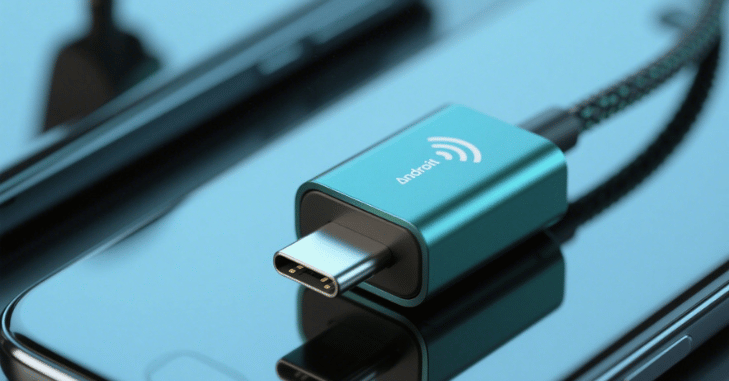
With growing interest in wireless connectivity, numerous manufacturers have stepped into the spotlight. Here are the standout Android Auto wireless adapters available this year, each offering unique benefits to suit a variety of users:
Motorola MA1
Seamless setup, ultra-reliable connection, certified by Google. Slightly more expensive than similar alternatives. The Motorola MA1 remains a top contender thanks to its official Google backing and exceptional ease of use. It features a USB-A connector that’s compatible with a wide array of vehicles. Drivers love its plug-and-play simplicity and consistent connection stability. Whether you’re making calls, following GPS routes, or streaming your favorite playlist, the MA1 delivers smooth, lag-free performance with minimal effort.
AA Wireless
Frequent firmware updates, robust customization via app, strong user community. High demand can lead to limited availability. Born from a crowdfunded project, AAWireless is a favorite among Android enthusiasts. Its open-source roots have led to a highly customizable experience, with regular software improvements. The accompanying app provides deep configuration options, making it a solid pick for those who want more control over their adapter’s behavior.
Ottocast U2-X Pro
Dual support for Android Auto and Apple CarPlay, stylish design, responsive performance. Higher cost due to dual-platform capabilities. Ideal for households with both Android and iOS users, the U2-X Pro eliminates the need for separate adapters. Its compact design blends nicely with modern car interiors, and its powerful internal chip ensures lightning-fast pairing and stable operation. Great for families who share vehicles.
CarlinKit 4.0
Affordable, compact, multi-device support. May exhibit spotty performance in select car models. For budget-conscious drivers, the CarlinKit 4.0 offers a solid alternative with competitive features. It supports both Android and iOS platforms, making it versatile and user-friendly. While it may not be quite as polished as premium options, it delivers good value for the price.
What to Consider When Choosing an Android Auto Wireless Adapter?

Not every adapter is built the same. To find the best match for your vehicle and lifestyle, consider these essential factors:
- Compatibility: Ensure your vehicle supports wired Android Auto. Wireless adapters work by piggybacking on your existing infotainment system.
- Connectivity Speed & Stability: A reliable connection is key to uninterrupted navigation, music, and hands-free calls.
- Firmware Support: Opt for brands that regularly push updates to enhance functionality and fix potential bugs.
- Customization & App Integration: Companion apps can enhance user control, allowing settings adjustments and wireless firmware upgrades.
- Size & Aesthetic: A small, sleek adapter is preferable, especially for minimalists who want a clean dashboard look.
Pro Tips for Getting the Best Experience
Maximize your wireless Android Auto experience with the following practical tips:
- Use the Correct USB Port: Always connect the adapter to the car’s Android Auto-supported port. Using the wrong port could hinder proper functionality.
- Keep Your Firmware Current: Regular updates improve speed, compatibility, and feature sets.
- Placement Matters: Position your adapter in an open space, away from potential sources of interference like metallic objects or other electronics.
- Minimize Wireless Clutter: If possible, disconnect other unused Bluetooth or Wi-Fi devices that may interfere with the adapter’s signal.
Advantages of Wireless Android Auto Adapters
The perks of going wireless extend beyond aesthetics. A wireless adapter enhances safety by reducing distractions — no more fumbling for cables. It saves time every time you start the car, adds convenience during short errands, and keeps your phone more accessible without being tethered to the dash. The majority of wireless adapters also offer auto-reconnect functionality, so once you’ve paired it once, your phone will link up every time you turn on the ignition.
Additional Picks to Consider
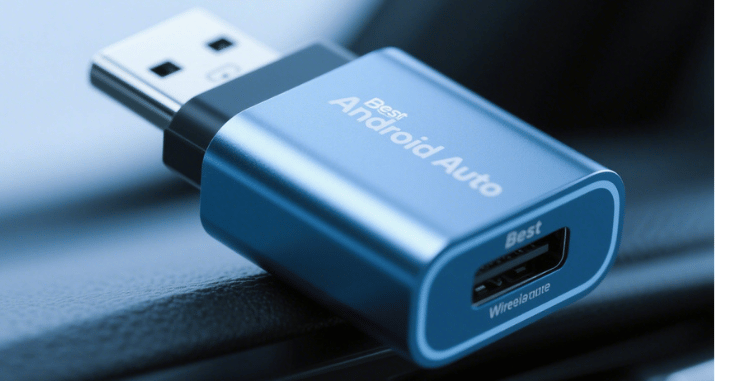
- Binize Wireless Android Auto Dongle: A solid mid-range option known for good compatibility and ease of use.
- Intelligent CarLinkit AI Box: A pricier but feature-rich option that turns your infotainment system into a full Android OS experience.
- Wokit Smart Adapter: A niche brand that’s gaining attention for its minimalist look and quick connection times.
Conclusion
Absolutely. Making the move to a wireless Android Auto adapter is a worthy upgrade for most drivers. Whether you value a clean setup, frequent short trips, or just hate wires, there’s an adapter to meet your needs. The Motorola MA1 is the gold standard for reliability, AAWireless appeals to tinkerers and tech lovers, and the Ottocast U2-X Pro offers flexibility for dual-device families. Evaluate your needs, check your car’s compatibility, and choose an adapter that enhances your day-to-day driving experience.
Want to know about ‘How to Change the Garage Door Code?‘ Check out our ‘Home Improvement‘ category.
FAQs
Only if the car supports wired Android Auto. Check your vehicle’s infotainment specs to ensure compatibility.
Most phones running Android 11 and later support wireless Android Auto. Always verify your device’s compatibility.
Top-tier models like the Motorola MA1 offer near-zero latency. However, performance may vary based on phone model and in-car system.
It’s a good idea to keep a cable for charging, especially on long drives, even though you won’t need it for Android Auto.
Yes, these adapters are plug-and-play. You can easily move them between compatible vehicles.
